
Choose a low-light workflow around movement and stability before changing processing settings.
The short answer
For a still night scene in LMC 8.4, support the phone, use the main camera and let the selected mode finish before moving. For people or pets in motion, compare ordinary photo mode and add usable light when possible. A Night Sight or DSLR XML label cannot guarantee a sharp moving subject.
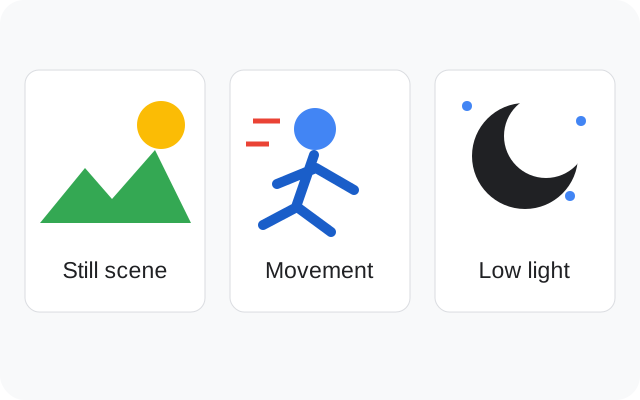
Decide what is moving
A building at dusk and a person walking under a street light need different choices. The building can stay still while a capture completes; the person may move between frames. Start by deciding whether subject movement or phone movement is spoiling the image.
For a stationary scene, rest the phone on a stable surface or use a support. For a moving subject, try ordinary photo mode first and compare the saved frame. More processing time is not useful when the moment has already passed. Keep a working setup from the model-matched XML catalog before experimenting.
Start with the main camera
Use the main rear camera as your baseline and avoid changing lens and processing at the same time. An auxiliary lens may have different low-light behavior or restricted app access. A black preview or a crash after switching cameras belongs in the lens troubleshooting checks.
Frame the scene, focus on the subject and hold still until capture finishes. Then open the saved image. The preview is useful for composition, but the final image is the result you need to judge. Check whether a sign stays readable and whether a person's face is sharp enough for your intended use.
Do not judge the result by brightness alone
A bright night image can still have blurred texture, clipped lights or an unnatural color cast. Compare the important parts of the scene: the face, a lit sign, the building detail or the sky. Decide which matters most before changing exposure-related controls.
Google's Night Sight research explains how motion and frame combination affect low-light capture on Pixel phones. It provides background for the trade-off; it does not establish that a third-party port uses identical tuning on your phone. LMC's available controls and behavior depend on the release, package, profile and camera.
Compare color under the actual lights
Street lights and indoor lamps can give a scene a strong tint. Compare the available AWB setting with a neutral surface or a familiar face in the frame. Keep the same scene and exposure so you can see what the white-balance choice changed.
A saturated outdoor preset may exaggerate orange street lighting. Save a copy of your current XML before importing another look. The settings guide explains how to change one variable without losing the setup that already works.
Save the useful result and its setup
Keep an original capture with the APK filename, XML, lens and mode noted. If you compare two profiles, use a scene that remains stable and evaluate the original images on the same screen. Messaging apps may resize shared copies, so they are a poor place to judge fine noise or detail differences.
Use your stock camera when it handles the scene more reliably. There is no controlled low-light comparison on this site proving an LMC advantage on every listed phone. For a fair comparison on your own device, follow the LMC versus stock camera workflow and keep the result that serves the shot.