
Compare original captures under the same conditions, including the reliability of getting the shot.
The short answer
LMC 8.4 and the stock camera can suit different tasks on the same phone. Compare their original saved photos using the same lens, framing and light, then check movement, video and auxiliary cameras separately. This website has no controlled device test that establishes one universal winner.
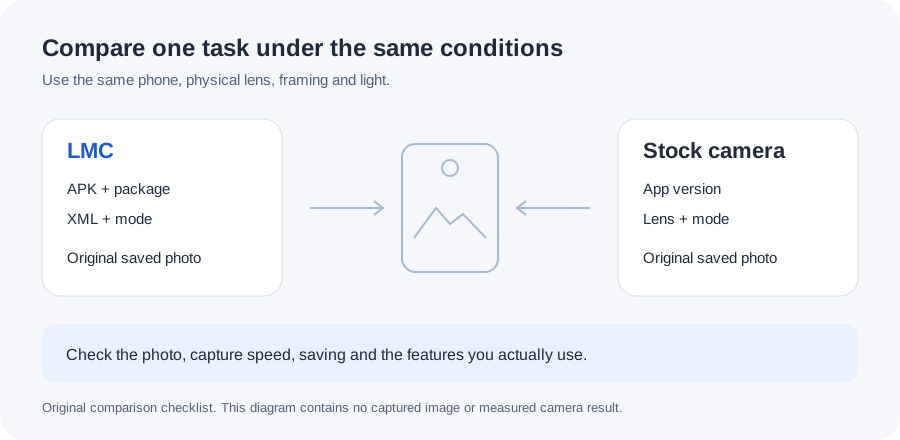
Choose a task before choosing an app
Start with something you photograph often: people indoors, a landscape, a pet in motion or a dim street. Decide what makes that result useful. You might value a sharp face and quick capture more than bright shadows, or prefer a particular color rendering in a still scene.
Keep the manufacturer's camera available. It may provide a lens, video option or capture behavior that the port does not expose reliably. The LMC release notes and community profiles describe adjustable processing, but their usefulness still depends on the phone and the setup you choose.
Keep the capture conditions comparable
Use the same physical lens and approximately the same framing. A telephoto capture from one app and a digital crop from another are different starting points. Clean the lens, keep the phone position steady and avoid a scene whose lighting changes rapidly while you switch apps.
Record the LMC release, package and XML. If you change the XML between comparisons, keep the images separated by profile. The settings guide describes a repeatable baseline. Compare the original saved files on the same screen instead of compressed copies sent through a messaging app.
Look beyond a bright or sharp first impression
Inspect faces, lettering and fine texture, then look at the full image at the size you normally view it. Check for pale sharpening outlines, smoothed skin, unusual color and lost highlight or shadow detail. Decide which differences you prefer without treating one attractive scene as proof for every situation.
Try a moving subject separately. Note whether the camera takes the photo promptly, finishes processing and saves it without a failure. A detailed still scene tells you little about a child's face in movement. For low light, use the night-photography workflow to keep subject movement and phone shake separate.
Test lenses and video as separate features
A working main-camera JPEG does not establish that selfie, ultrawide, telephoto or video will also work. Try the modes you actually use at basic settings first. Inspect the saved result and check video audio where relevant.
If one LMC lens fails, read the phone's package-access guidance and its device notes. Do not change every processing setting to solve an access problem. Manufacturer-specific modes may remain a reason to use the stock app even when you prefer LMC for ordinary still photos.
Keep a result you can reproduce
Write a short record with the phone, firmware, Android version, app/version, lens, mode and lighting. Keep the original files and explain the preference: for example, a more natural-looking indoor skin tone or fewer blurred frames in that scene. Those are observations to make on your own images, not measurements supplied by this article.
Use each app where it serves you. There is no need to replace a dependable stock-camera workflow just because another phone's sample looks impressive. Recheck important functions after an Android update or a new XML, and back up the LMC settings through the export and restore process.