
JPEG is ready to view. RAW is useful when you intend to develop the image in a compatible editor.
The short answer
In LMC 8.4, keep JPEG for a finished photo you can view and share. Try RAW plus JPEG if your LMC build and camera support it and you plan to edit the RAW file. Check that both files save and open before relying on the option; a flat RAW preview does not by itself mean the capture is worse.
What is different about the files?
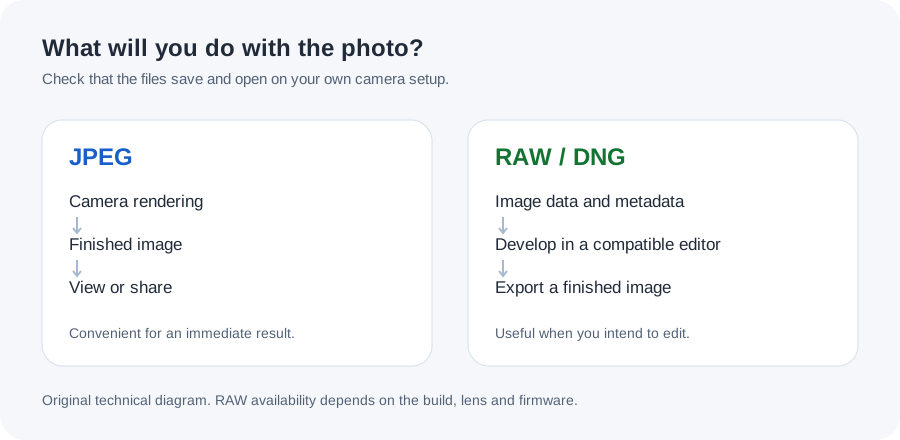
A JPEG contains the camera application's rendered image. Its color, contrast and detail processing are already part of that output. A RAW file preserves image data and camera metadata for a compatible editing workflow. Android supports writing such data in the DNG format through its camera APIs.
The files serve different needs. If you want to send a photo immediately, the JPEG is the convenient starting point. RAW is worth considering when you want to make your own development choices and will keep the original file. It is not a shortcut to a different sensor or a guarantee of a better photo.
Check the option in your installed build
Look for RAW or RAW plus JPEG controls in the settings available in your LMC version. Menu names and availability can change with the release and XML. Camera hardware and the features exposed by the firmware also matter, so a switch visible in a profile is not enough evidence that every lens can produce a usable DNG.
Take a simple test photo with the main camera. Locate the actual files in your gallery or file manager, then open the DNG in an editor that supports it. Check another lens separately if you intend to use it. Read the Camera2 compatibility explanation if the expected output is unavailable.
Why a RAW preview can look different
An editor has to interpret RAW data and apply a development profile. The first preview may have different color, contrast or brightness from the camera JPEG. Comparing that initial preview with a finished JPEG mixes two stages of the workflow.
Open the RAW, make the adjustments you actually want and export a viewable image. Then compare it with the matching JPEG at the same viewing size. Keep the original DNG so you can return to it later. A screenshot of an editing preview is not the original RAW file.
Plan for storage and sharing
Check the actual sizes of a few test pairs on your phone instead of relying on one advertised file size. Keeping RAW plus JPEG adds files to manage, and backups may include both. Review your gallery application's backup settings before a long shoot.
Send the JPEG or an exported image when the recipient needs a photo they can open easily. Use a file-transfer method that preserves the DNG when another editor needs the original. Some sharing workflows resize or convert images; reopening the received file is a useful check before deleting your copy.
Choose by the work you will do next
For casual captures, keeping a reliable JPEG workflow may be enough. If you already edit RAW, try a small set of LMC captures before enabling the option for everything. Include the lighting you often shoot in and check color, highlight recovery and unwanted artifacts in your own editor.
Keep the APK, XML and capture settings recorded with any comparison. The camera settings guide covers repeatable capture checks. Pixel's RAW support documentation is useful background, but it does not establish identical RAW behavior in LMC or support on every non-Pixel device.