
For Z9 or T3, keep the R18 Fix changelog with the shared file and record the exact regional model and firmware.
LMC 8.4 for Vivo & iQOO: Device Evidence & XML Configs
LMC 8.4 for Vivo and iQOO: verify the exact regional phone
The selected entries cover iQOO Z3, iQOO Z9, Vivo T3 and Vivo Y20. Z9 and T3 share an R18 Fix profile whose contributor reports working photo and video. Confirm the regional phone and firmware when trying it. The Y20 videography-named XML also appears under other phones, so check a saved clip yourself.
For Z3, begin with the exact-model Final-Iqoo-z3.xml entry and check ordinary photo saving before night or video modes.
For Y20, test a short recording independently of still photos and compare the current listing with the older lmc.xml only when needed.
Package and firmware guidance
The selected Vivo/iQOO entries do not name a phone-specific APK package. Check camera access on your exact firmware; a shared XML or videography filename does not identify a Lens or Iris package.
Test the front camera and video separately from rear photos. Save a short clip, play it back and check focus, orientation and sound before relying on the imported profile.
Read the instructions for this specific profile
Can Z9/T3 settings be used on Z9x or T3 Pro?
The source grouping is Z9/T3 only. It does not establish Z9x, Z9s, T3x, T3 Pro or T3 Ultra support.
Has this website tested these Vivo files?
Muzamil reports APK testing across the listed phone models. Individual firmware, mode and file results are not published. The contributor reports cited here remain separate from his testing statement.
Source notes: Hasli LMC8.4 R16+ community config index ↗ Hasli LMC8.4 R15 community config index ↗ Vivo T3 / iQOO Z9 R18 Fix changelog ↗
Read the model-specific community evidence for Vivo & iQOO. A successful setup on another regional variant, ROM or Android version may not transfer to your phone.
Choose an exact match
Use your device’s model code and chipset where the source distinguishes variants. The entries below retain release assignments, package recommendations and unresolved details. Muzamil reports APK testing across the listed models; individual firmware and mode results are explained in the testing policy.
Try defaults first, export working settings, then import a sourced XML. Follow the installation guide and XML setup. Select the documented package rather than guessing from the phone brand.
4 matching devices. Community evidence; check the variant details.
Community XML referenceFounder-reported APK testing
iQOO Z3
Start here
Confirm iQOO Z3 and save a main-camera reference before importing Final-Iqoo-z3.xml. Keep the installed APK release and package in the setup note.
Choosing the configStart with Final-Iqoo-z3.xml for Z3. The source does not name a package or exact release, so note your combination and check the cameras you need.
Model-specific setup checks
Treat Final as a contributor label
Check an ordinary saved photo and a selfie before judging the profile as complete. A confident filename does not replace a camera/mode checklist.
Compare indoor and daylight skin separately
Use the same person in even daylight and one ordinary indoor light. Inspect saved skin color and focus; avoid carrying a lighting preference into every scene.
Do not reuse the Z9/T3 grouping
Z3 has its own source entry. The better-documented shared Z9/T3 file does not establish a replacement for Z3 by brand similarity.
Test in this order
- Save default main/front references on the exact Z3.
- Import Final-Iqoo-z3 and repeat the two lighting scenes.
- Test night or video separately after ordinary photos work, recording the APK/firmware.
Keep separate: iQOO Z9; Other iQOO Z-series models without their own entry
Variant limits and source evidence (1)
A community XML listing is verified; exact release, package and camera/ROM coverage are not stated by the index. Do not claim broader iQOO support.
Final-Iqoo-z3.xml
Release: R16+ index; exact release unconfirmed
Package: No verified package recommendation
Author: Not attributed in index
Community XML referenceFounder-reported APK testing
iQOO Z9
Start here
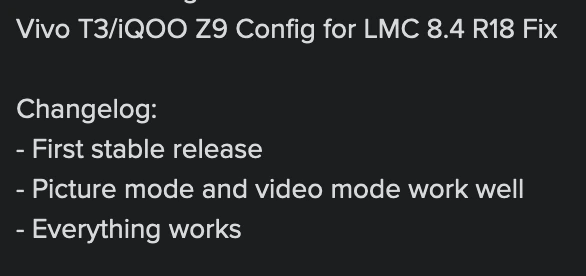
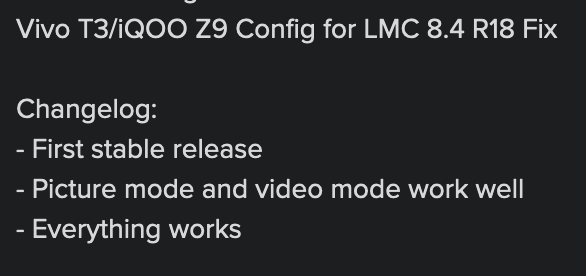
Confirm the exact regional Z9 model. Use the shared file with the contributor's R18 Fix context and verify ordinary still capture before the reported video behavior.
Choosing the configUse the shared Z9/T3 entry and R18 Fix changelog. The working-photo/video statement is the contributor report; confirm those functions on your regional firmware.
Model-specific setup checks
Keep the regional model with the result
Record the full model number, region and firmware when checking the R18 Fix profile. A shared marketing name does not resolve all regional hardware differences.
Check video independently of photos
Make a short rear clip, play it back and inspect focus, orientation and audio. The contributor reports working video, but a saved still photo cannot verify that report.
Keep the Z9/T3 grouping narrow
Do not expand the shared file to Z9x or Z9s. The inspected source names Z9 and T3, not those suffix variants.
Test in this order
- Confirm the exact regional Z9 and R18 Fix context.
- Import the shared file and save main/front samples.
- Record and play back a short clip, then check any exposed auxiliary controls.
Keep separate: iQOO Z9x; iQOO Z9s; Other regional Z9 hardware without matching evidence
Which release is the Z9/T3 shared config described for?
The contributor changelog names LMC 8.4 R18 Fix. Its photo/video result is a community report; Muzamil's broader APK-testing statement is disclosed separately.
Profile source / instructions ↗ Profile source / instructions ↗
Variant limits and source evidence (1)
The source shares this profile with Vivo T3 but does not specify all regional variants or tested firmware. Match the exact phone; do not extend to Z9x/Z9s or unrelated regional hardware.
zZeRoZzAnDoNeZz.xml
Release: R18
Package: No verified package recommendation
Author: Not attributed in index
Community XML referenceFounder-reported APK testing
Vivo T3
Start here
Confirm plain Vivo T3 and its regional model, then use the shared file with the documented R18 Fix context. Keep another working camera option until still and video checks pass.
Choosing the configUse the T3 entry with the shared R18 Fix changelog. Check your regional model; the source does not group T3x, T3 Pro or T3 Ultra with it.
Model-specific setup checks
Retain the exact T3 suffix
A broad T3 search should not return this profile for T3x, Pro or Ultra. Use the Settings model name to resolve the exact entry.
Verify the reported picture mode
Save a face, a bright/shaded scene and a close detailed subject. Compare the completed files with a stock-camera reference before keeping the shared profile.
Check a clip as a separate result
The contributor reports video working. Save and play back a short clip, then note the recording setting and firmware so your result is reproducible.
Test in this order
- Verify plain T3 and the regional model.
- Load the shared R18 Fix profile and save main/front comparison photos.
- Record and play back a short clip, then preserve the verified setup notes.
Keep separate: Vivo T3x; Vivo T3 Pro; Vivo T3 Ultra
Profile source / instructions ↗ Profile source / instructions ↗
Variant limits and source evidence (1)
The source shares this profile with iQOO Z9. T3x/T3 Pro/T3 Ultra are separate models. Region, exact release and package are not documented in the index.
zZeRoZzAnDoNeZz.xml
Release: R18
Package: No verified package recommendation
Author: Not attributed in index
Community XML referenceFounder-reported APK testing
Vivo Y20
Start here
Confirm the exact Y20 variant and save an ordinary still before importing the current file. Treat a working photo and a working recording as separate checks.
Choosing the configStart with the videography-named file under Y20 and check a saved clip. The older lmc.xml is an alternative in the R15 index without an exact published release-test result.
Model-specific setup checks
Check saved video rather than the mode button
Record a short clip and play it back on the phone. Inspect focus, orientation and audio before relying on a videography-named profile for an event.
Compare still-photo color too
A profile chosen for a video-sounding name can still change still-image processing. Save a face and a neutral object before and after import to judge its everyday output.
Keep generic lmc.xml identifiable
If trying the older file, store a note that it came from the Y20 source section. A generic filename can otherwise be confused with a different phone's XML.
Test in this order
- Confirm the exact Y20 and save a main/front photo reference.
- Load the current profile and repeat the still photos.
- Save/play back a short recording; compare the older Y20 lmc.xml only if needed.
Keep separate: Vivo Y20i; Vivo Y20s; Other Y20 variants without matching evidence
Does the Y20 videography filename prove video works?
No. The file is shared across several source entries, and the Y20 section does not provide a specific tested-video result. Record and play back a sample on the phone.
Profile source / instructions ↗ Profile source / instructions ↗
Variant limits and source evidence (2)
The current videography-named config is shared with several other phones. Its presence is not proof of working video or all-camera support on Y20. Keep Y20 variants and similarly named models separate.
LMC-8.4--Videography-Config-by-iTechKM.xml
Release: R16+ index; exact release unconfirmed
Package: No verified package recommendation
Author: Not attributed in index
lmc.xml
Release: R15 index; exact release unconfirmed
Package: No verified package recommendation
Author: Not attributed in index
No verified recommendation in our catalog. Check your exact variant and source notes; a similar model is not enough.
Keep your working setup recorded
Save these details with your backup so you can restore the setup or report a failure.
Phone model / region
________________________
ROM and Android version
________________________
Full APK filename
________________________
Android package ID
________________________
XML filename / library
________________________
Lens and mode that you tested
________________________
Copy these fields into your notes or download the blank device-test worksheet. Nothing in this checklist is submitted to the site.
Sources & editorial responsibility
Release and setup references are listed below. Read the testing and evidence policy for the scope of Muzamil Ahad’s reported APK testing.
Founder & APK reviewer: Muzamil Ahad. How the guide was researched · Report a correction.