LMC / INDEPENDENT GUIDE

LMC 8.4 R15 APK Download: Files & Release Notes

R15 adds separate library selection for rear camera modules and extends color, sky and portrait controls. It also includes Exynos-related work and a Dynamic ISO correction. Check the library selection for each rear lens after importing settings.

Hub listing date2022-11-30
Separate fix dateNot confirmed
Minimum AndroidNot stated in source

Documented changes

  • Exynos support improvements and separate library selection for rear modules were introduced.
  • The update adds sky and portrait controls, extra color and noise options, and Samsung Live HDR/iris buttons.
  • Dynamic ISO and SpatialGainMap issues were corrected, front-camera patcher options returned, and several device fixes were included.

Configuration and known limits

  • Earlier configs can load, but library selection is now specific to each lens.
  • The Samsung iris switch in the changelog is a feature, not evidence of a separate Iris-package R15 APK.

Use the R15 index linked below. Match the explicit release assignment and phone variant. R15 presets on later builds need testing; indexed files are community contributions.

Configuration reference ↗

Install and test this build

Export existing settings before replacing an app with the same package ID. Install one variant, confirm default camera operation, then load a matched XML and test each lens separately. See APK installation, XML import, and crash diagnosis.

Unverified metadata

  • Minimum Android version, file size, cryptographic hash, and exact upstream patch number were not confirmed by this release page.
Exact files and package choices

Variant / exact filenameAndroid package IDAvailability
DefaultLMC8.4_R15.apkcom.google.android.GoogleCameraEngR15Find this APK in the original archive ↗
SnapcamLMC8.4_R15_snapcam.apkorg.codeaurora.snapcamFind this APK in the original archive ↗
AwemeLMC8.4_R15_aweme.apkcom.ss.android.ugc.awemeFind this APK in the original archive ↗
Qcamera3LMC8.4_R15_qcamera3.apkorg.codeaurora.qcamera3Find this APK in the original archive ↗
RulerLMC8.4_R15_ruler.apkcom.samsung.android.rulerFind this APK in the original archive ↗
Scan3DLMC8.4_R15_scan3d.apkcom.samsung.android.scan3dFind this APK in the original archive ↗
Google LensLMC8.4_R15_glens.apkcom.google.android.GoogleCameraEngFind this APK in the original archive ↗

Compare package IDs · Browse XML evidence · All researched releases

When does R15 make sense?

A reason to try it

Relevant changes

You need the rear-module library controls or a fix documented for your setup.

A reason to keep your current setup

Your current setup

Your established config behaves consistently and you do not need the added controls.

What to check when you switch

  1. Export your existing config.
  2. After import, inspect library selection for each rear lens.
  3. Check selfies, Night mode and video before adopting the new settings.
Before importing your XML

Earlier XMLs can load, but each rear lens now has its own library choice.

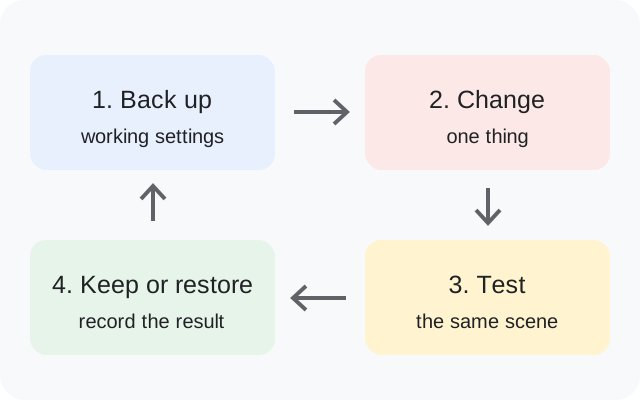
Back up, change one thing, test the same scene, then keep or restore the setup
Original backup and testing diagram.

R15 questions answered

Can I reuse a previous config?

The developer says yes, with the per-lens library caveat.

Does Exynos work on every Samsung phone?

The notes name Note20U, S21U and S10 verification; that does not verify every Samsung model or regional variant.

Is the iris button an Iris-package APK?

The iris switch is a feature in the notes; R15's file list has no separate Iris APK.

Release facts: developer notes ↗. See the APK testing disclosure.

Source interface reference

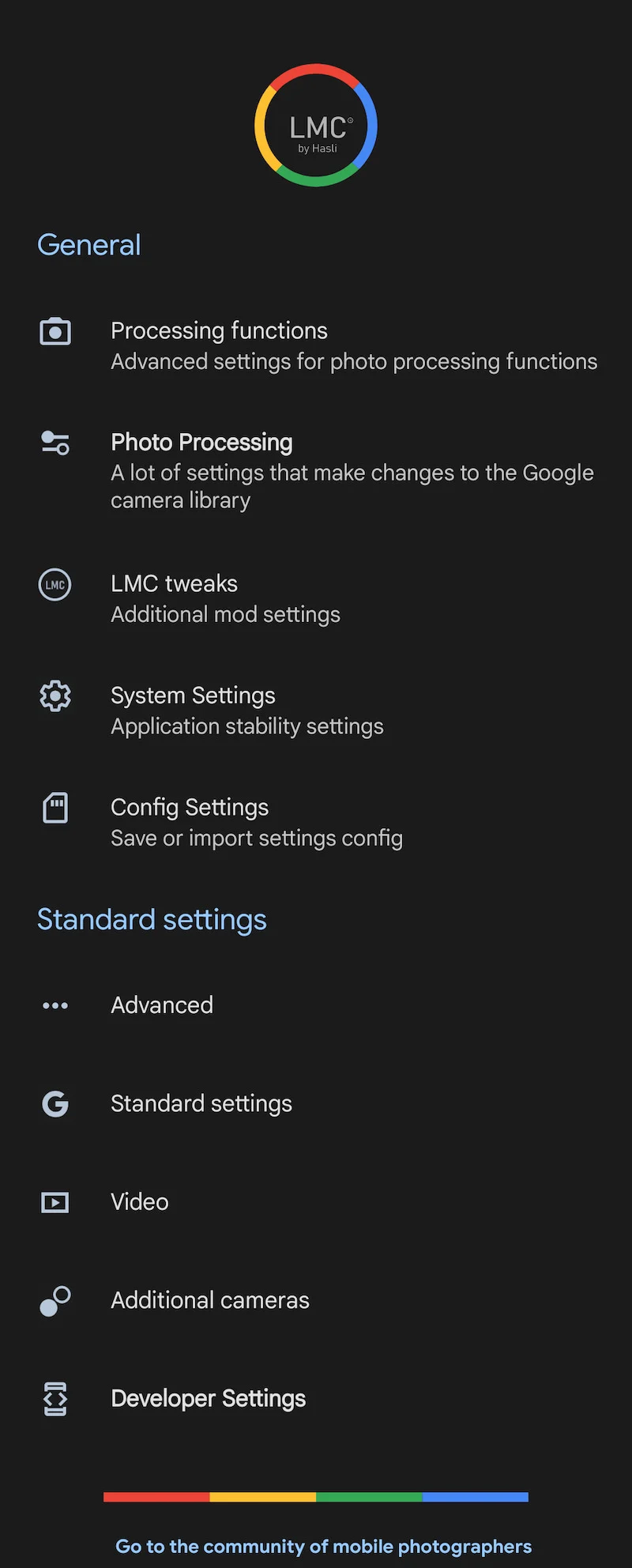
R15 source interface illustration
Source-provided illustration for R15. It does not establish a separate fix-build screenshot.

Sources & editorial responsibility

Release and setup references are listed below. Read the testing and evidence policy for the scope of Muzamil Ahad’s reported APK testing.

Founder & APK reviewer: Muzamil Ahad. How the guide was researched · Report a correction.