LMC / INDEPENDENT GUIDE

LMC 8.4 R18F1 APK Download: Files & Release Notes

R18 adds a larger exposure slider, popup controls and button vibration. It also loads custom noise/AWB models and offers viewfinder frame-rate controls. Hasli describes it as a usability update with no image-quality change.

Hub listing date2023-06-14
Separate fix dateNot confirmed
Minimum AndroidNot stated in source

Documented changes

  • A larger exposure control and popup option buttons make the viewfinder controls easier to reach.
  • Button vibration, custom noise and white-balance model loading, and frame-rate controls were added.
  • Default auxiliary-camera IDs, the dark theme, top bar, and slider sizing received fixes.
  • The author describes this as a usability update without a quality change and says earlier configs are suitable.

Configuration and known limits

  • Restart after selecting a custom noise or AWB model.
  • The source does not publish separate F1-specific release notes.

Use the R16+ index linked below. Match the explicit release assignment and phone variant. R15 presets on later builds need testing; indexed files are community contributions.

Configuration reference ↗

Install and test this build

Export existing settings before replacing an app with the same package ID. Install one variant, confirm default camera operation, then load a matched XML and test each lens separately. See APK installation, XML import, and crash diagnosis.

Unverified metadata

  • Hub date identifies the R18 listing; a distinct F1 artifact date is not shown.
  • Minimum Android version, file size, cryptographic hash, and exact upstream patch number were not confirmed by this release page.
Exact files and package choices

Variant / exact filenameAndroid package IDAvailability
DefaultLMC8.4_R18F1.apkcom.google.android.GoogleCameraLMCR18Find this APK in the original archive ↗
SnapcamLMC8.4_R18F1_Snapcam.apkorg.codeaurora.snapcamFind this APK in the original archive ↗
AwemeLMC8.4_R18F1_Aweme.apkcom.ss.android.ugc.awemeFind this APK in the original archive ↗
Scan3DLMC8.4_R18F1_Scan3D.apkcom.samsung.android.scan3dFind this APK in the original archive ↗
Google LensLMC8.4_R18F1_Google_Lens.apkcom.google.android.GoogleCameraEngFind this APK in the original archive ↗
IrisLMC8.4_R18F1_Iris.apkcom.samsung.android.server.irisFind this APK in the original archive ↗

Compare package IDs · Browse XML evidence · All researched releases

When does R18F1 make sense?

A reason to try it

Relevant changes

You want easier viewfinder controls or need the revised default auxiliary-camera IDs.

A reason to keep your current setup

Your current setup

Your current build already opens every lens reliably and its controls suit you.

What to check when you switch

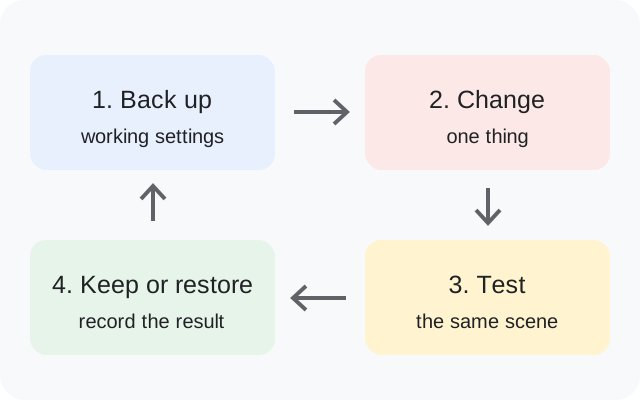
  1. Export your working settings before changing builds.
  2. Recheck every lens after importing your existing XML.
  3. Restart after choosing a custom noise or AWB model.
Before importing your XML

Earlier configs are supported, but lens access still depends on the device and package.

Back up, change one thing, test the same scene, then keep or restore the setup
Original backup and testing diagram.

R18F1 questions answered

Will R18 automatically improve my photos?

The developer explicitly reports no quality difference; compare controls and reliability first.

Why is my custom model missing?

The release notes require an app restart after selection.

Is the current file R18 or R18F1?

The page title says R18; its downloadable filenames include R18F1. No separate F1 changelog is published there.

Release facts: developer notes ↗. See the APK testing disclosure.

Source interface reference

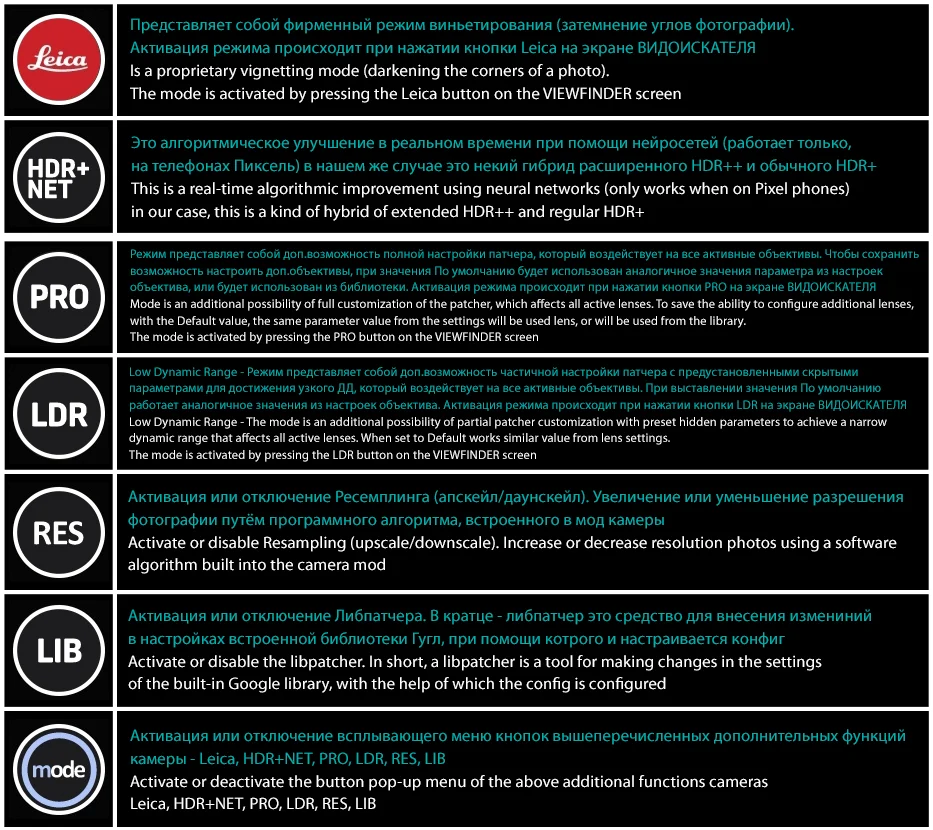
R18F1 source interface illustration
Source-provided illustration for R18F1. It does not establish a separate fix-build screenshot.

Sources & editorial responsibility

Release and setup references are listed below. Read the testing and evidence policy for the scope of Muzamil Ahad’s reported APK testing.

Founder & APK reviewer: Muzamil Ahad. How the guide was researched · Report a correction.