LMC / INDEPENDENT GUIDE

LMC 8.4 Config File Download: Community XML Catalog

Search your exact phone, check the release and open its original XML source. Put the extracted file in /LMC8.4/ before importing.

More filters: release, package and contributor

3 matching community XML references. Original XML contributors are credited separately from the site reviewer.

R16+ index; exact release unconfirmed

Redmi Note 10 Pro setup notes

RN10Pro-intro555-v12.xml
XML contributor
Contributor not named in the source index
APK package
Check Redmi Note 10 Pro package guidance
Evidence and limitations

Current source lists the model directly. The older filename says Mi Note 10 although indexed under Redmi Note 10 Pro; treat that as an ambiguous legacy listing. No universal lens or Android-version guarantee is documented.

Get RN10Pro-intro555-v12.xml from the linked source index. Some entries open a contributor page with the file and setup notes.

Compare Redmi Note 10 Pro XML profile →
R16+ index; exact release unconfirmed

Redmi Note 10 Pro setup notes

RTTG-Dlsr-Prime.xml
XML contributor
Contributor not named in the source index
APK package
Check Redmi Note 10 Pro package guidance
Style label
DSLR label

Filename label only; no hardware-equivalence claim

Evidence and limitations

Current source lists the model directly. The older filename says Mi Note 10 although indexed under Redmi Note 10 Pro; treat that as an ambiguous legacy listing. No universal lens or Android-version guarantee is documented.

Get RTTG-Dlsr-Prime.xml from the linked source index. Some entries open a contributor page with the file and setup notes.

Compare Redmi Note 10 Pro XML profile →
R15 index; exact release unconfirmed

Redmi Note 10 Pro setup notes

LMC-8.4-V8-XML-for-Mi-Note-10-and-Pro.xml
XML contributor
Contributor not named in the source index
APK package
Check Redmi Note 10 Pro package guidance
Evidence and limitations

Current source lists the model directly. The older filename says Mi Note 10 although indexed under Redmi Note 10 Pro; treat that as an ambiguous legacy listing. No universal lens or Android-version guarantee is documented.

Get LMC-8.4-V8-XML-for-Mi-Note-10-and-Pro.xml from the linked source index. Some entries open a contributor page with the file and setup notes.

Compare Redmi Note 10 Pro XML profile →

How to choose an LMC 8.4 config file

Filter by phone first, then by the release you actually installed. A profile with an explicit R18 assignment is a stronger match for an R18 setup than a file whose only evidence is membership in the broad R16+ index. Read the instructions before choosing a photographic look.

  1. Confirm the exact model. Snapdragon and Exynos, 4G and 5G, Pro and Lite names can describe different hardware. Do not substitute a nearby name.
  2. Check release and package. R15 references are separated from the newer index; an older XML may require different values or a new library selection.
  3. Read the author’s setup. Some profiles require a library or specific lens-ID workaround. A filename is not the full instruction.
  4. Compare two plausible choices. Keep the same scene, lighting, lens and mode. Save the filename of the setup you decide to keep.
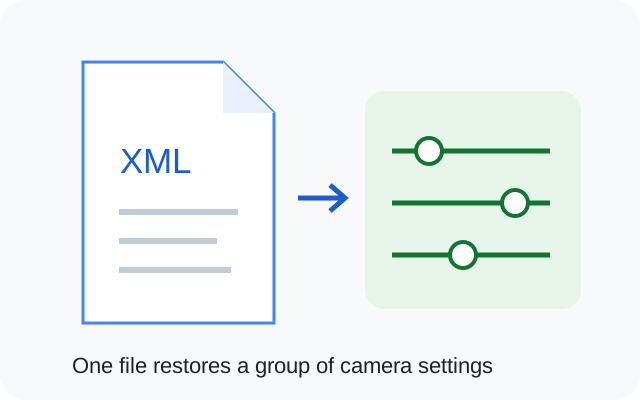
A saved XML document restores camera processing and lens settings
Original illustration of saved XML settings.
Where does the XML go?

Put the extracted XML at Internal storage / LMC8.4 / file.xml for the R15 and R16+ builds. Follow the illustrated import steps.

Shortlist two community profiles

Compare model, release and package requirements before importing. To judge image quality, compare saved photos from the same scene.

DSLR, iPhone color and Leica XML styles

Choose a phone- and release-matched XML before choosing a style. These community names describe processing preferences; they do not replace the camera hardware or imply approval by those brands.

DSLR config

Inspect texture and portraits

Check fine detail, sharpened edges, skin texture and portrait boundaries in saved photos. Keep an ordinary photo as a reference.

Browse DSLR-labelled XMLs →
iPhone color config

Compare skin and neutral colors

Use daylight and indoor light. A preset you like outdoors can look too warm or saturated under artificial light.

Browse iPhone-style XMLs →
Leica config

Check contrast and shadows

Inspect dark detail and familiar reds and greens. A style profile may change processing controls beyond color.

Browse Leica-labelled XMLs →

Our DSLR, iPhone and Leica config guide explains how to compare the looks. No controlled camera-system matching captures are published here.

What if the catalog has no exact match?

Do not borrow a preset from a different regional phone just because its filename mentions your preferred color style. Check the developer or device community for your exact variant. If the default main camera works, keep that baseline while you look for specific XML evidence.

If two appropriate configs both look plausible, test one at a time with a saved backup. Check a daylight scene, an indoor neutral object, a person and a lower-light scene using the same lens. Note changed capture time, missing lenses, color shifts or saving failures before keeping a preset.

From catalog to camera

Read how to load and back up XML and where to place the file. If the app crashes after importing, isolate the config before trying a different APK.

Keep your working setup recorded

Save these details with your backup so you can restore the setup or report a failure.

Phone model / region

________________________

ROM and Android version

________________________

Full APK filename

________________________

Android package ID

________________________

XML filename / library

________________________

Lens and mode that you tested

________________________

Copy these fields into your notes or download the blank device-test worksheet. Nothing in this checklist is submitted to the site.

Sources & editorial responsibility

Release and setup references are listed below. Read the testing and evidence policy for the scope of Muzamil Ahad’s reported APK testing.

Founder & APK reviewer: Muzamil Ahad. How the guide was researched · Report a correction.